ArticleGPU

Best GPU for Local LLMs in 2026: Choose by VRAM, Model Size, and Budget

The definitive guide to picking the right GPU for running local LLMs. Compare VRAM tiers, memory bandwidth, software ecosystem support, and power requirements across the RTX 5090, RTX 5080, RX 7900 XTX, and used options.

P

PC Part Guide

April 24, 2026

PC Part Guide is supported by its audience. We may earn commissions from qualifying purchases through affiliate links on this page. Full disclosure

Why this guide exists

Choosing a GPU for local LLMs is fundamentally different from choosing one for gaming. VRAM capacity is the first filter — it determines which models you can run. Memory bandwidth is next — it controls how fast those models generate tokens. The software stack (CUDA vs ROCm), power supply constraints, and whether you are open to buying used all shape the decision. This guide picks the best GPUs for local LLM inference across every budget and VRAM tier, with honest trade-offs for each one.

Fast Answer

Best overall: RTX 5090 — 32 GB GDDR7, fastest consumer inference.

Best value new: RTX 5080 — 16 GB GDDR7, great price-to-performance for 7B-13B models.

Best 24 GB: Used RTX 4090 — 24 GB GDDR6X at 1,008 GB/s, cheaper than a new 5080.

Best budget: Used RTX 3090 — cheapest 24 GB CUDA card on the market.

Best AMD: RX 7900 XTX — 24 GB at the lowest new-GPU price, ROCm support.

Quick Comparison: Best GPUs for Local LLMs

Editor's Pick
GeForce RTX 5090

GeForce RTX 5090

32 GB VRAM — Best Overall

VRAM32 GB GDDR7
Bandwidth1,792 GB/s
TDP575 W
Best ForUnrestricted model access
GeForce RTX 5080

GeForce RTX 5080

16 GB VRAM — Sweet Spot Price

VRAM16 GB GDDR7
Bandwidth960 GB/s
TDP360 W
Best For7B-13B models at full speed
Radeon RX 7900 XTX

Radeon RX 7900 XTX

24 GB VRAM — AMD Value King

VRAM24 GB GDDR6
Bandwidth960 GB/s
TDP355 W
Best ForBudget 24 GB, AMD ecosystem
GeForce RTX 4090

GeForce RTX 4090

24 GB VRAM — Used Market Value

VRAM24 GB GDDR6X
Bandwidth1,008 GB/s
TDP450 W
Best ForUsed-market 24 GB CUDA power
GeForce RTX 3090

GeForce RTX 3090

24 GB VRAM — Cheapest 24 GB CUDA

VRAM24 GB GDDR6X
Bandwidth936 GB/s
TDP350 W
Best ForBudget entry to 24 GB CUDA
GeForce RTX 4070 Ti Super

GeForce RTX 4070 Ti Super

16 GB VRAM — New Budget CUDA

VRAM16 GB GDDR6X
Bandwidth672 GB/s
TDP285 W
Best ForBudget new-build for 7B-13B models
Editor's Pick
GeForce RTX 5090

GeForce RTX 5090

$1,999.99
View on Amazon

Key Specifications

VRAM32 GB GDDR7
Bandwidth1,792 GB/s
ArchitectureBlackwell
PSU1,000 W recommended

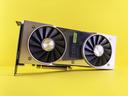
The RTX 5090 is the most capable consumer GPU for local LLMs in 2026. Its 32 GB of GDDR7 memory gives you enough headroom to run most models that matter — Llama 3.1 70B at 4-bit quantization, Mixtral 8x22B, and even some FP16 models in the 13-30B parameter range without any compromises on context length.

Memory bandwidth is the other half of the equation. At 1,792 GB/s the 5090 moves data through its memory subsystem faster than any consumer card before it. That translates directly into higher token generation speeds, especially for larger models where the bottleneck is almost always memory bandwidth, not compute.

The downside is power. NVIDIA recommends a 1,000 W power supply, and the card draws 575 W under full load. You need a case with excellent airflow, a high-wattage PSU from a reputable brand, and ideally a dedicated circuit if you are running other high-draw components. This is not a subtle GPU — it is a statement piece for your workstation.

CUDA and the broader NVIDIA software ecosystem remain the gold standard for local LLMs. Every major inference framework (llama.cpp, vLLM, ExLlamaV2, Ollama) targets CUDA first. Flash Attention, Tensor Cores, and FP8 support all work out of the box. If you want the least friction between buying a GPU and running models, NVIDIA is still the default choice.

Why it wins

  • 32 GB VRAM fits most useful models at usable quantizations
  • 1,792 GB/s bandwidth — fastest consumer GPU for inference
  • Full CUDA ecosystem support with no configuration headaches
  • FP8 and Flash Attention 2 support for faster inference

Skip if

  • 575 W TDP demands a 1,000 W PSU and strong cooling
  • Most expensive consumer GPU on the market
  • Overkill if you only run 7B-13B models
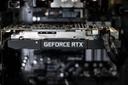
Best Value New
GeForce RTX 5080

GeForce RTX 5080

$999.99
View on Amazon

Key Specifications

VRAM16 GB GDDR7
Bandwidth960 GB/s
ArchitectureBlackwell
PSU850 W recommended

The RTX 5080 hits the price-performance sweet spot for local LLMs. At 16 GB GDDR7 with 960 GB/s bandwidth, it runs 7B models at or near their full potential and handles 13B models at 4-bit quantization comfortably. If your workflow centers on Llama 3.1 8B, Mistral 7B, or Phi-3 medium, this card delivers without the premium tax of the 5090.

GDDR7 memory is the key upgrade over the previous generation. The bandwidth is competitive with the RTX 4090 despite having less total VRAM, which means token generation speeds for models that fit in 16 GB are very fast. You are not sacrificing speed — you are sacrificing capacity.

Power draw is reasonable at 360 W with an 850 W PSU recommendation. That is within the comfort zone of most modern PSUs and cases, unlike the 5090 which needs a significant power infrastructure upgrade for many builders.

The limitation is 16 GB of VRAM. Models like Llama 3.1 70B at 4-bit quantization need roughly 38 GB, which does not fit. You can still run it with offloading to system RAM, but inference speed drops significantly. If your goal is running the largest models locally, step up to the 5090 or consider a used 24 GB card.

Why it wins

  • Best price-to-performance for 7B-13B model inference
  • GDDR7 bandwidth competitive with much more expensive cards
  • Reasonable 360 W power draw — no PSU upgrade needed for most
  • Full CUDA and Blackwell feature set

Skip if

  • 16 GB VRAM limits you to models under ~14B at full precision
  • Cannot run 70B-class models without CPU offloading
  • Less future-proof than 24 GB or 32 GB alternatives
Best AMD / Best 24 GB
Radeon RX 7900 XTX

Radeon RX 7900 XTX

$899.99
View on Amazon

Key Specifications

VRAM24 GB GDDR6
Bandwidth960 GB/s
ArchitectureRDNA 3
PSU800 W recommended

The RX 7900 XTX is the cheapest way to get 24 GB of VRAM on a new GPU. At 960 GB/s memory bandwidth it matches the RTX 5080 on paper, and the extra 8 GB of VRAM opens up model sizes that 16 GB cards simply cannot run. If your budget does not stretch to a 5090 and you want to run larger models, this is the card to look at.

The catch is the AMD software ecosystem. ROCm support for local LLMs has improved significantly — llama.cpp, Ollama, and LM Studio all support AMD GPUs via HIP/ROCm. But support is still behind CUDA in maturity. Some quantization formats and optimization techniques arrive on NVIDIA first, and debugging GPU issues on AMD requires more community research.

Performance is competitive where ROCm is well-supported. For models that fit in 24 GB, token generation speeds are close to the RTX 4090 in many benchmarks. The 7900 XTX also has 24 GB of GDDR6 (not GDDR6X), which means slightly lower bandwidth than NVIDIA's 4090, but the difference is marginal in practice for LLM inference.

Power draw is 355 W with an 800 W PSU recommendation, which is manageable. The card runs warm but within spec, and most aftermarket coolers handle it well. If you are comfortable with ROCm's current state and want 24 GB at the lowest new-GPU price, the 7900 XTX is a strong value.

Why it wins

  • Cheapest new GPU with 24 GB VRAM
  • 960 GB/s bandwidth competitive with RTX 4090
  • ROCm support is improving rapidly across major frameworks
  • Good value for 70B models at aggressive quantization

Skip if

  • ROCm ecosystem still lags behind CUDA in tooling and support
  • Some quantization formats and optimizations arrive later
  • GDDR6 is slightly slower than GDDR6X on bandwidth
Best Used Value
GeForce RTX 4090

GeForce RTX 4090

$1,599.99
View on Amazon

Key Specifications

VRAM24 GB GDDR6X
Bandwidth1,008 GB/s
ArchitectureAda Lovelace
PSU850 W recommended

A used RTX 4090 is arguably the smartest buy for local LLMs right now. You get 24 GB of GDDR6X at 1,008 GB/s bandwidth, full CUDA support, and Ada Lovelace features like FP8 and Flash Attention 2 — all at a significant discount from the new price. The 4090 was the top-tier GPU just one generation ago, and for inference workloads it is still exceptionally capable.

The 24 GB VRAM is the key advantage over a new RTX 5080. You can run Llama 3.1 70B at 4-bit quantization (roughly 38 GB) with partial CPU offloading, or run it entirely on GPU at 3-bit quantization. Models like Command R (35B), Qwen 2.5 32B, and Mixtral 8x7B fit entirely in VRAM. That flexibility is worth the used-market risk for many builders.

Bandwidth at 1,008 GB/s is actually higher than the RTX 5080's 960 GB/s, which means the 4090 generates tokens faster for models that fit in 24 GB. The extra bandwidth matters because inference on large models is memory-bound — the GPU spends most of its time moving weights from VRAM to the compute units.

The risks of buying used are real: no warranty, potential thermal paste degradation, and the small chance of a card that was run hard for crypto mining. Buy from sellers with good reputations, test the card under sustained load before committing, and verify all VRAM is error-free using GPU stress tests. At the right price, a used 4090 is the best value in local LLM hardware.

Why it wins

  • 1,008 GB/s bandwidth — faster than the new RTX 5080
  • 24 GB VRAM opens up 70B-class models
  • Full CUDA + FP8 + Flash Attention support
  • Significant discount over buying new

Skip if

  • No warranty on used cards
  • 450 W TDP needs a strong PSU and good cooling
  • Risk of degraded hardware from mining or heavy use
Best Budget Used
GeForce RTX 3090

GeForce RTX 3090

$749.99
View on Amazon

Key Specifications

VRAM24 GB GDDR6X
Bandwidth936 GB/s
ArchitectureAmpere
PSU750 W recommended

The RTX 3090 is the cheapest way to get 24 GB of VRAM with CUDA support. On the used market it costs a fraction of the 4090 while offering the same VRAM capacity. For builders who want to run larger models and cannot justify the cost of a new GPU, the 3090 is the entry ticket to 24 GB inference.

At 936 GB/s bandwidth it is slightly slower than the 4090 and 7900 XTX, but the difference in token generation speed is modest — typically 10-15% slower for the same model. You still get CUDA, you still get 24 GB, and the Ampere architecture supports Flash Attention and most quantization formats through llama.cpp and ExLlamaV2.

The main compromises are generational. Ampere lacks FP8 support (that is an Ada Lovelace and Blackwell feature), so you lose one potential speedup for quantized inference. The 3090 also draws 350 W and runs warm, especially on reference coolers. An aftermarket model with a good cooler is worth the small price premium on the used market.

If you are experimenting with local LLMs and want to see what 24 GB VRAM unlocks without spending GPU-launch money, the used 3090 is the lowest-risk option. It handles everything from 7B to 35B models on GPU, and even 70B models with partial offloading. Just make sure the card you buy has been tested and has clean VRAM.

Why it wins

  • Cheapest 24 GB VRAM card with CUDA support
  • Runs all major inference frameworks without issue
  • Good enough bandwidth for comfortable inference speeds
  • Ampere architecture still well-supported

Skip if

  • No FP8 support — misses a quantization speedup
  • Ampere is two generations behind Blackwell
  • Runs warm; needs good case cooling
  • Used market risks: no warranty, potential wear
Best Budget New
GeForce RTX 4070 Ti Super

GeForce RTX 4070 Ti Super

$799.99
View on Amazon

Key Specifications

VRAM16 GB GDDR6X
Bandwidth672 GB/s
ArchitectureAda Lovelace
PSU700 W recommended

The RTX 4070 Ti Super is the cheapest new NVIDIA GPU that makes sense for local LLMs. At 16 GB GDDR6X with 672 GB/s bandwidth, it targets the same model range as the RTX 5080 (7B-13B models) but at a significantly lower price. If you are building a new system for local LLMs and your budget does not stretch to $999, this is where you land.

The 4070 Ti Super gets you into the Ada Lovelace generation with FP8 support, DLSS 3, and good power efficiency at 285 W. For inference specifically, FP8 is the feature that matters — it allows certain quantized models to run faster than they would on Ampere cards like the 3090, even though the 3090 has more VRAM.

Bandwidth is the limitation. At 672 GB/s it is noticeably slower than the 5080 (960 GB/s) or 4090 (1,008 GB/s). Token generation speeds for the same model will be lower. For smaller models (7B) this difference is less noticeable, but for 13B models the slower bandwidth becomes more apparent.

This card makes the most sense for someone building a new workstation who wants CUDA support, does not need to run 70B models, and wants to keep the total GPU cost reasonable. Pair it with 32 GB of system RAM and you can even offload larger models, albeit at reduced speed.

Why it wins

  • Cheapest new NVIDIA GPU that is viable for local LLMs
  • FP8 support from Ada Lovelace generation
  • Low 285 W power draw — easy on PSUs and cooling
  • Great for 7B-13B models at comfortable speeds

Skip if

  • Only 16 GB VRAM — cannot run models above ~14B fully on GPU
  • 672 GB/s bandwidth is slowest in this comparison
  • Not competitive with used 24 GB cards for large models

Choose by VRAM

16 GB — Entry

Runs 7B models at full precision and 13B models at 4-bit. Good for experimentation and development. Cards: RTX 5080, RTX 4070 Ti Super.

24 GB — Enthusiast

The sweet spot. Runs 70B models at 4-bit quantization and 30B models at higher precision. Cards: RTX 4090 (used), RTX 3090 (used), RX 7900 XTX.

32 GB — Premium

Fewest compromises. Runs most useful models at comfortable quantization with room for context. Cards: RTX 5090.

Choose by Software Ecosystem

NVIDIA (CUDA)

The default for local LLMs. Every major framework (llama.cpp, vLLM, Ollama, LM Studio, ExLlamaV2) targets CUDA first. Flash Attention, Tensor Cores, FP8 quantization, and the widest model compatibility all come standard. If you want zero configuration headaches, NVIDIA is the safe choice.

AMD (ROCm)

Rapidly improving support. llama.cpp, Ollama, and LM Studio all work with AMD GPUs via HIP/ROCm. Performance is competitive where supported. The trade-off is that new features and quantization formats typically arrive on CUDA first, and troubleshooting requires more community research. Best for users comfortable with technical debugging.

Choose by Power and Thermals

GPUTDPRecommended PSUNotes
RTX 5090575 W1,000 WNeeds dedicated circuit and top-tier PSU
RTX 5080360 W850 WManageable for most modern builds
RX 7900 XTX355 W800 WRuns warm but within spec
RTX 4090 (used)450 W850 W12VHPWR connector; use quality cable
RTX 3090 (used)350 W750 WReference blower models run loud
RTX 4070 Ti Super285 W700 WMost power-efficient option here

How to Choose the Right GPU for Local LLMs

1. Start with the model size you want to run

VRAM is the first filter. A 7B model at 4-bit quantization needs roughly 4-5 GB. A 13B model at 4-bit needs 8-9 GB. A 70B model at 4-bit needs about 38 GB. Before you buy a GPU, decide which models matter to you and work backwards to the VRAM you need.

2. Match bandwidth to your patience threshold

After VRAM, bandwidth determines how fast tokens appear. Higher bandwidth means shorter waits between each generated token. If you plan to run long inference sessions or serve multiple users, prioritize bandwidth. The RTX 5090 (1,792 GB/s) and RTX 4090 (1,008 GB/s) are the bandwidth leaders.

3. Factor in your power supply and case

The RTX 5090 needs a 1,000 W PSU. The RTX 3090 needs 750 W but runs hot enough that case airflow matters more than the PSU rating. Check your current PSU wattage and case cooling before committing to a GPU. Upgrading both adds cost that should be part of your budget.

4. Consider used cards for the best VRAM-per-dollar

A used RTX 4090 or RTX 3090 gives you 24 GB of VRAM at a fraction of the new price. Test before you buy, check VRAM integrity, and buy from sellers with good reputations. For local LLMs specifically, a used 4090 often outperforms a new midrange card because VRAM matters more than generation.

Compare all GPUs in our GPU parts database or use the comparison tool to see specs side by side.

Narrow Down by Budget or Brand

Compare GPUs Head-to-Head

Frequently Asked Questions

How much VRAM do I actually need for local LLMs?
It depends on the model size you want to run. 8 GB handles 7B models at 4-bit quantization. 12-16 GB is comfortable for 7B-13B models and some 34B models at aggressive quantization. 24 GB opens up 70B models at 4-bit quantization and 30B-35B models at higher precision. 32 GB gives you the most flexibility, running 70B models comfortably and even some larger mixtures. When in doubt, buy the most VRAM your budget allows.
Is AMD ROCm ready for local LLMs?
ROCm has improved significantly. llama.cpp, Ollama, and LM Studio all support AMD GPUs, and performance for supported operations is competitive. However, CUDA still has first-mover advantage on new features, quantization formats, and debugging tooling. If you are comfortable troubleshooting GPU issues and reading community forums, AMD works. If you want everything to work immediately with minimal configuration, NVIDIA is safer.
Should I buy a used GPU for local LLMs?
A used GPU can be the best value in local LLM hardware. A used RTX 4090 gives you 24 GB of VRAM with CUDA at a fraction of the new price. The key risks are no warranty and potential hardware degradation. Test any used card under sustained load before committing, verify VRAM integrity, and buy from reputable sellers. For the savings, the risk is often worth it.
Does gaming FPS matter for local LLMs?
No. LLM inference is primarily memory-bandwidth bound, not compute bound. A GPU with high VRAM and high memory bandwidth will outperform a faster gaming GPU with less VRAM for inference tasks. The RTX 3090, which is slower than an RTX 4070 in gaming, is far better for local LLMs because it has 24 GB of VRAM versus 12 GB.
Can I run multiple GPUs for more VRAM?
Yes, llama.cpp and some other frameworks support tensor parallelism across multiple GPUs. Two used RTX 3090s (48 GB total) can run models that no single consumer GPU can. However, multi-GPU setups add complexity, power draw, and cooling challenges. They also introduce communication overhead between GPUs that can reduce effective bandwidth.
What PSU do I need for a local LLM workstation?
It depends on your GPU. For the RTX 5090 (575 W), you need at least a 1,000 W quality PSU. For the RTX 5080 or used 4090 (360-450 W), 850 W is sufficient. For the RTX 4070 Ti Super (285 W), a 700 W PSU works. Always buy from a reputable brand (Corsair, Seasonic, EVGA) and leave at least 20% headroom above your total system draw.
Is 16 GB VRAM enough for local LLMs?
16 GB is the entry point for a useful local LLM experience. It runs 7B models at full speed and 13B models at 4-bit quantization comfortably. You can even attempt some 34B models at aggressive 3-bit quantization. However, 16 GB cannot run 70B models without significant CPU offloading, which slows inference dramatically. If 70B models are your goal, aim for 24 GB or more.
What software should I use to run local LLMs?
Ollama is the easiest starting point — it handles model downloading, quantization selection, and serving with minimal setup. For more control, llama.cpp offers the widest hardware support and the most quantization options. LM Studio provides a GUI. For serving multiple users, vLLM and Text Generation WebUI (oobabooga) are popular. All of these support NVIDIA CUDA; most now support AMD ROCm as well.

Final Thoughts

The best GPU for local LLMs depends on your budget and which models you need to run. The RTX 5090 is the top pick — 32 GB GDDR7 at 1,792 GB/s gives you unrestricted access to most models at comfortable quantization.

If $999 is your ceiling, the RTX 5080 delivers excellent performance for 7B-13B models with GDDR7 bandwidth. For 24 GB VRAM at the best value, a used RTX 4090 outperforms every new card in its price range. The RX 7900 XTX is the cheapest new 24 GB card if you are comfortable with ROCm. And a used RTX 3090 gets you into 24 GB CUDA territory at the lowest possible price.

All six cards work with the major inference frameworks. Pick the one that matches your VRAM needs, power budget, and comfort with the software ecosystem. Browse the full GPU catalog for more options.

Back to all articles
Share this article